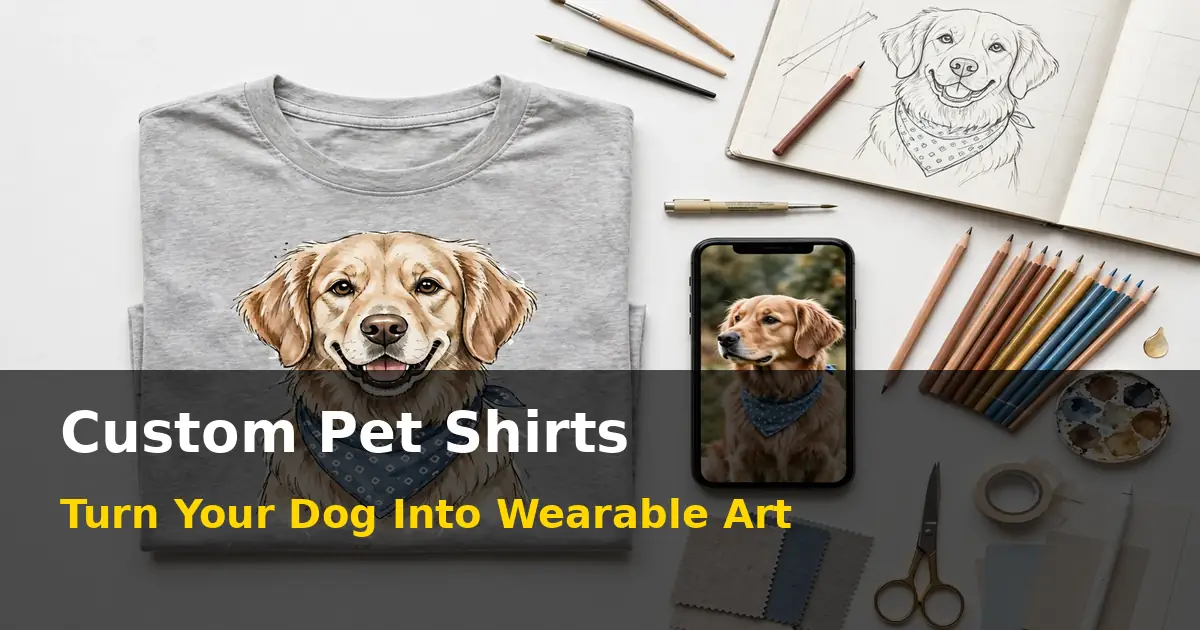
There is something different about a shirt with your dog on it. Not a generic breed illustration — your dog, with the crooked ear and the exact spot over one eye. Custom pet shirts turn a favorite photo into wearable art, and the tools for making them have improved dramatically: AI portrait generators, direct-to-garment printing, and a wave of small shops that specialize in exactly this. This guide walks through the whole process — from picking the right photo to choosing a print method that keeps the portrait sharp wash after wash.
The Custom Pet Portrait Concept
The idea is simple: take a photo of your pet, transform it into an illustration or stylized portrait, and print it on a shirt. What changed in recent years is the middle step. Where you once needed a hand-drawn commission or had to settle for a raw photo printed as-is, you can now choose between AI-generated portraits, human illustrators, and hybrid services that combine both.
Each path has trade-offs. A raw photo print is the fastest and most literal — what you upload is what you get, including any blur or bad lighting. A human illustrator gives you a one-of-a-kind piece with an artist's judgment about what to emphasize, but it costs more and takes longer. AI portrait tools sit in between: fast, flexible across styles, and able to "interpret" a photo into something more polished — but the result is only as good as the photo you feed in and the tool you choose.
It is also worth deciding what the shirt is for. A memorial shirt for a dog who passed away calls for a dignified, timeless style. A funny shirt of your cat mid-zoomies calls for something playful. The occasion shapes every choice that follows.
Photo Tips That Make or Break the Result
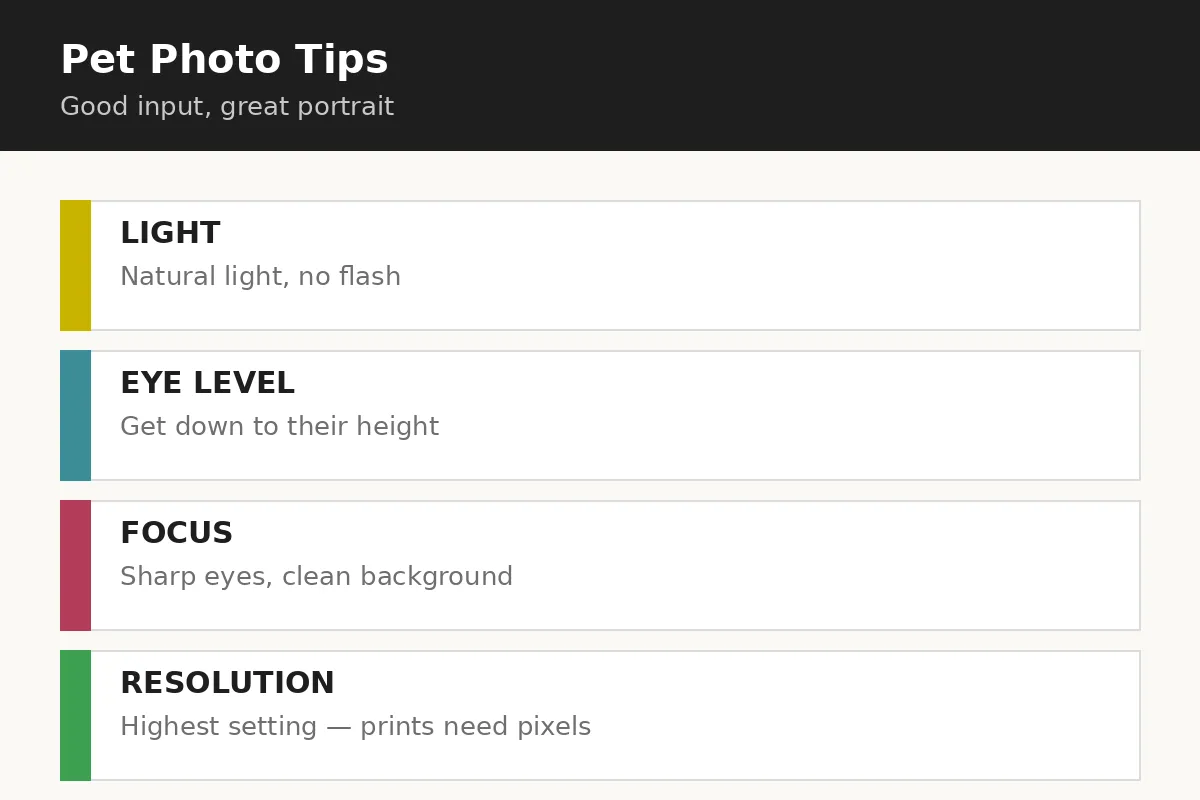
Whether you use AI or a human artist, the input photo determines the ceiling of the final result. These are the factors that matter most:
- Lighting: Natural, indirect light beats everything. A dog sitting near a window gets soft shadows and highlights that give the portrait depth. Harsh flash flattens features and causes the glowing-eye effect common in pet photos.
- Eye level: Get down to your pet's level instead of shooting from above. Eye-to-eye photos produce a far more engaging portrait than the classic looking-down angle.
- Sharp focus on the eyes: If the eyes are blurry, no tool can fully recover them. Tap to focus on the eyes before shooting.
- Clean background: A plain floor or wall helps any tool — AI or human — separate your pet from the surroundings cleanly. Cluttered backgrounds create guesswork.
- Multiple angles: If your chosen service trains a model on your pet (some AI services do), provide photos from different angles and in different lighting. Three to five good photos beat fifteen mediocre ones.
- Resolution: Use the original, full-size photo — not a screenshot or a heavily compressed social media download. Printers generally recommend high-resolution files (around 300 DPI at print size); starting from the largest original you have gives you the most headroom.
One practical note: skip heavy filters on the source photo. Filters bake in color shifts and smoothing that fight against whatever style you are trying to achieve.
AI Portrait Tool Options
Several categories of AI tools can turn a pet photo into shirt-ready art. None of them is objectively "the best" — they differ in control, style range, and licensing, so pick based on what you need:
- General image generators (Midjourney, DALL-E, Ideogram): Strong at stylized interpretations — renaissance portraits, pop art, watercolor effects. You describe the style in a prompt and iterate. Best when you want a dramatic transformation rather than a faithful likeness.
- Photo-to-portrait AI services: Tools built specifically for pet portraits, often with one-click styles. Less control than general generators, but faster and more beginner-friendly.
- AI upscalers and background removers: Useful support tools rather than portrait makers — they clean up an existing photo, remove backgrounds, and enlarge files for print.
- Human illustrators: Not AI, but worth including: an illustrator working from your photo produces a genuinely unique piece. Slower and pricier, but unmatched for memorial pieces.
Before you commit to any tool, check its terms for commercial use. Many AI generators distinguish between personal and commercial licenses, and some require a paid tier for merchandise. If you plan to sell the shirts rather than wear them yourself, this step is non-negotiable.
Design Styles Worth Considering
The style you choose sets the entire tone of the shirt. Popular directions include:
- Renaissance / baroque: Your pet as nobility — elaborate, funny, and oddly dignified. Works best with a straight-on, calm portrait photo.
- Pop art: Bold colors, high contrast, graphic shapes. Forgiving of imperfect source photos because the style is intentionally non-realistic.
- Watercolor: Soft and sentimental — a common choice for memorial shirts.
- Minimalist line art: A single continuous-line drawing of your pet's silhouette. Subtle, modern, and easy to wear daily.
- Photographic / realistic: A cleaned-up, enhanced version of the actual photo. Best when the source photo is already excellent.
Match the style to the garment color early: dark, moody portraits sit naturally on black or navy; light watercolor work needs a white or heather base to read properly.
Choosing the Garment and Ordering
Detailed portraits with many colors print best with direct-to-garment (DTG) printing, which works like an inkjet printer for fabric and handles gradients and fine detail better than traditional screen printing. For the fabric itself, smooth ring-spun cotton gives ink the cleanest surface to bond with; tri-blends are softer and drape better but can mute colors slightly — a trade-off worth knowing before you order.
Before you finalize an order, run through this checklist:
- Approve the proof: Reputable custom shops send a mockup before printing. Check likeness, spelling of any text, and placement. Custom items are usually non-returnable, so this is your one safety net.
- Confirm the print size: A portrait that looks great as a phone wallpaper can feel lost at pocket-print size or overwhelming at full-chest. Ask what print dimensions the shop uses.
- Check sizing: Custom shirts typically can't be exchanged. Measure a shirt you already own and compare against the shop's size chart rather than guessing.
- Ask about turnaround: Custom work takes longer than off-the-shelf — factor in design time plus printing plus shipping, especially for gifts with a deadline.
If you'd rather skip the custom process entirely, browse ready-made designs in our collection — and for the cause-driven side of pet apparel, see our guide to rescue dog shirts or the breed-specific golden retriever shirts guide.
Common Mistakes to Avoid
- Ordering from a screenshot: Screenshots are low-resolution by nature. Always go back to the original photo file on your phone or camera.
- Skipping the proof: The mockup is your only chance to catch a misspelled name, a cropped ear, or a color clash with the garment. Never waive it to save time.
- Choosing the style last: Pick the art style before you pick the shirt color. A dark renaissance portrait needs a dark garment; deciding the garment first boxes you in.
- Ignoring the license: That free AI portrait is fine for your own closet, but printing it on shirts to sell without checking the tool's commercial terms can create real problems.
- One photo, one hope: Even the best tools benefit from options. Upload your two or three best photos and let the service or artist pick the strongest starting point.
Frequently Asked Questions
How many photos do I need for a good custom pet shirt?
For a single stylized portrait, one excellent photo is enough. If the service trains an AI model on your pet's likeness, three to five clear photos from different angles give noticeably better results.
Can I use an old, low-resolution photo of my pet?
AI upscaling and image-to-image generation can rebuild a blurry old photo into a usable portrait, using the original as a structural guide. Results vary — a recognizable but soft photo works far better than one where the pet's features are completely lost.
Will the print fade in the wash?
DTG prints last longest when you wash the shirt inside out in cold water and avoid high dryer heat. Following the care label is the single biggest factor in how long the portrait stays sharp.
Can I sell shirts made with AI-generated pet art?
It depends on the tool's license terms — many AI generators require a paid tier for commercial use, and rules around AI-generated works vary. Check the specific tool's commercial license before selling anything.
AI portrait or human illustrator — which should I choose?
Choose AI for speed, style variety, and lower cost; choose a human illustrator when the piece needs to be truly one-of-a-kind, such as a memorial shirt. Many people are happy with AI for fun shirts and reserve illustrators for meaningful ones.