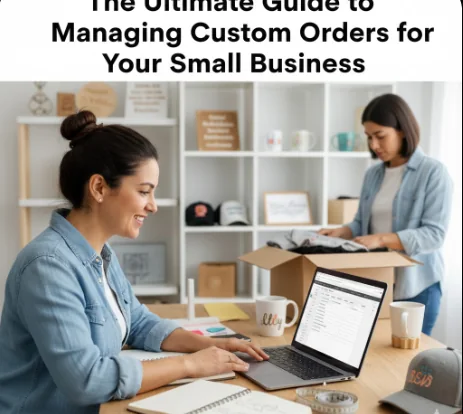
Let’s be honest: there is nothing quite as flattering as a customer reaching out and saying, "I love your style, but can you make this just for me?" It’s the ultimate compliment. It validates your artistry and your brand. But if you are anything like me—a lover of color-coded spreadsheets and perfectly balanced ledgers—you also know that custom orders can quickly turn into a logistical nightmare if you don't have a system in place.
Without a workflow, you’re looking at endless email threads, vague pricing, and the dreaded scope creep. But don't worry. We are going to tackle this with the precision of a VLOOKUP formula and the grace of a seasoned CEO. We are going to turn that chaos into a streamlined, profitable revenue stream.
Key Takeaways: The "Custom" Formula
Systems Save Sanity: Never accept an order via DM without moving it to a formal tracking system immediately.
Pricing is Mathematics, Not Magic: Custom work requires a surcharge for the "administrative overhead" (a.k.a. the time you spend emailing).
Boundaries are Beautiful: Clear revision policies protect your time and your profit margins.
Deposit First: Never start cutting, baking, or coding until a non-refundable deposit hits your bank account.
Table of Contents
The Value Proposition: Why Bother with Bespoke?
Why do we accept custom orders? Aside from the creative challenge, they are often the highest-margin items in a small business arsenal. When a customer requests something unique, they are no longer comparing your price to a mass-produced item on Amazon. They are paying for your time, your specific skill set, and the exclusivity of the product.
However, the value only exists if the process is efficient. If you spend four hours discussing a $50 item, you have lost money. The goal is to maximize the "wow" factor while minimizing the administrative drag.
The Golden Workflow: From Inquiry to Invoice
Think of this process like a pivot table: we want to organize raw data (customer requests) into a beautiful, summarized report (a finished product). Here is the standard operating procedure (SOP) every small business owner should adopt.
1. The Gatekeeper (The Inquiry Form)
Never take orders via Instagram DM or messy email chains. Create a dedicated form (Google Forms, Typeform, or your website’s contact page) that asks specific questions. If you sell tech accessories, you need to know the device model immediately. For instance, a corporate client might need 50 items for their IT department. You could direct them to read The Ultimate Guide to Laptop Stickers: Style, Selection, and Application so they understand material options before they even submit the form.
2. The Quote & The Contract
Once you review the inquiry, send a professional quote. This isn't just a price tag; it’s a contract. It must include:
The Scope: Exactly what you are making.
The Timeline: When they can expect it.
The Revision Count: How many changes are allowed before you charge extra.
3. The Deposit (The Green Light)
This is non-negotiable. Require a 50% or 100% upfront payment. This validates that the buyer is serious and covers your material costs.
The Profit Formula: Pricing Your Genius
Ladies, we need to stop undercharging. Custom work is premium work. It interrupts your batch workflow and requires extra brainpower. Here is a simple Excel-friendly formula for your pricing:
(Materials + (Labor Hours × Hourly Rate) + Overhead %) + Custom Surcharge = Retail Price
The "Custom Surcharge" is the most forgotten variable. This covers the time you spent reading their emails, drafting the invoice, and photographing the final piece. If you are creating bulk orders, such as promotional gear for an event, the calculation changes slightly to account for volume. You might want to reference The Ultimate Guide to Custom Bags: Design, Materials, and More to understand how material choices impact your bulk pricing structure.
Tools of the Trade: Tracking Your Orders
How do you keep track of who paid, who is waiting for a proof, and who needs shipping? You need a central database. Depending on your volume, here is how you should stack your tech.
Method Best For Pros Cons Pen & Paper / Planner Hobbyists (< 5 orders/month) Tactile, cheap, easy to start. Cannot search, hard to edit, no backups. Excel / Google Sheets The "Excel Masters" (5–50 orders/month) Customizable formulas, color-coding, free, data analysis capable. Requires manual data entry, no automation. Trello / Asana Visual Thinkers Drag-and-drop workflow, great for seeing "status" at a glance. Can feel cluttered, limited financial tracking. Dedicated CRM (e.g., Dubsado, Honeybook) Scaling Businesses (50+ orders/month) Automates emails, invoices, and contracts. Saves massive time. Monthly subscription cost, learning curve.
Communication: The Art of Saying "No" (and "Yes")
Managing expectations is 90% of the job. You want to be accommodating, but you are not a doormat. Have "canned responses" ready to go in your drafts folder. This ensures your tone remains professional even when you are stressed.
For example, if a client asks for a complex apparel design with a tight turnaround, you can politely guide them toward realistic expectations. You might say, "I'd love to help! For complex apparel, the timeline is usually 3 weeks. If you need inspiration on current styles that might be faster to produce, check out The Ultimate Guide to Printed Hoodies: 2026’s Hottest Streetwear Trends."
Handling "Scope Creep"
If a client asks for "just one more little change" after they used up their revisions, reply with: "I would be happy to make that adjustment for you! Since we have completed the included revisions, this addition will be billed at my hourly rate of $X. Let me know if you’d like me to send the invoice so we can proceed!"
Conclusion: Organize to Optimize
Custom orders do not have to be the part of your business that keeps you up at night. By implementing a solid workflow, pricing your time correctly, and using the right tools, you can transform custom requests from a chaotic burden into your most profitable revenue stream.
Remember, the goal of organization isn't just to have pretty spreadsheets (though we do love those); it's to free up your mental energy so you can get back to doing what you do best: creating beautiful things.
Frequently Asked Questions
Should I charge a deposit for custom orders?
Absolutely. You should require at least a 50% non-refundable deposit before beginning any work. This covers your materials and ensures the customer is committed to the purchase. Some businesses even require 100% upfront for smaller items.
How do I say no to a custom order request?
Be polite but firm. You can say, "Thank you so much for thinking of me! Unfortunately, my custom order slots are currently full (or this project falls outside my current scope), but I would love to direct you to my ready-to-ship collection."
What is the best way to track custom orders?
For beginners, a well-organized Excel spreadsheet or Google Sheet is perfect. As you scale, moving to a CRM like Honeybook or Dubsado can automate the process and save time.
How many revisions should I offer?
Standard practice is to offer 1 to 2 rounds of minor revisions. Anything beyond that should incur an additional fee, which must be clearly stated in your initial contract.
15 Unique Personalized Gifts They’ll Cherish Forever: The Ultimate 2026 Guide The Ultimate Guide to Finding the Funniest Graphic Tees Online: A 2026 Master Class --- ## Related AIPrintVerse guides Read the [related guide](/blog/the-ultimate-guide-to-selling-t-shirts-online-from-blank-canvas-to-six-figure-brand) and browse [AIPrintVerse designs](/designs) for more practical inspiration.