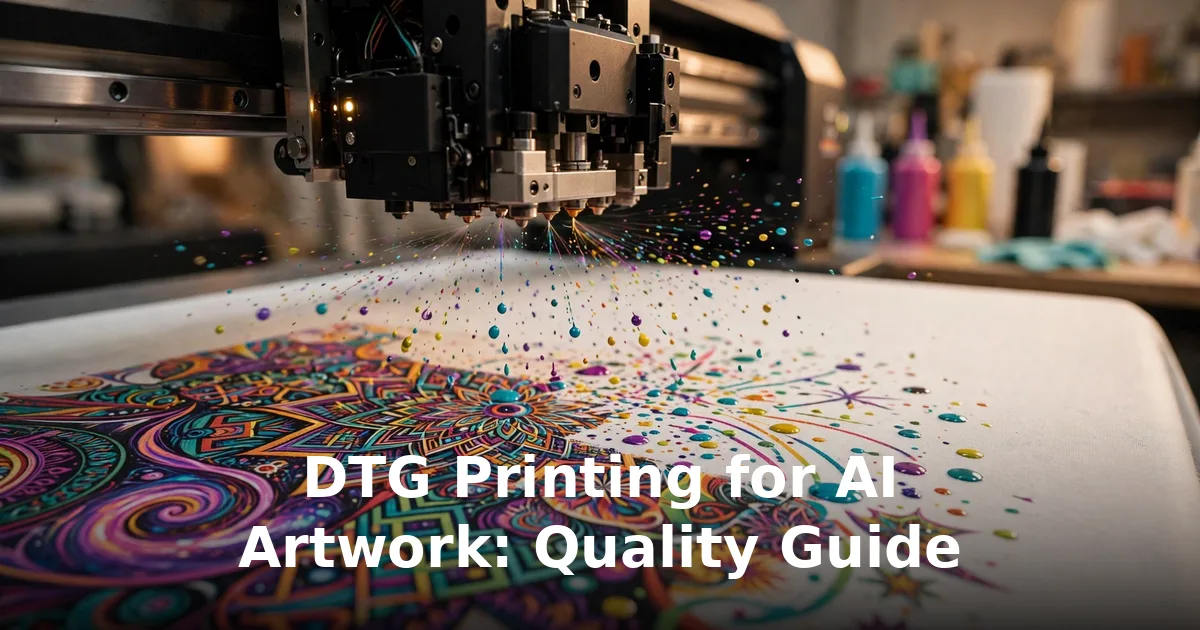
Direct-to-Garment (DTG) printing is the closest thing print technology has to a magic translation layer: a giant inkjet printer that sprays water-based pigment ink straight into the fibers of a t-shirt. For AI-generated artwork — with its millions of colors, impossible gradients, and hyper-detailed micro-textures — DTG is usually the best reproduction method available. But the printer is only half the story. AI files arrive in the wrong color space, at screen resolution, with backgrounds baked in. This guide walks through everything you need to get AI artwork from a generator to a genuinely high-quality garment print.
Table of Contents
- How DTG Works and Why It Suits AI Art
- The Unique Challenges of AI-Generated Files
- File Preparation: DPI, Format, and Transparency
- Upscaling AI Images for Print
- RGB vs. CMYK: The Color Gamut Problem
- Pretreatment: The Step You Cannot Skip
- Fabric Selection for Detailed Prints
- DTG vs. Other Printing Methods
- Sustainability and Wash Care
- Frequently Asked Questions
Key Takeaways
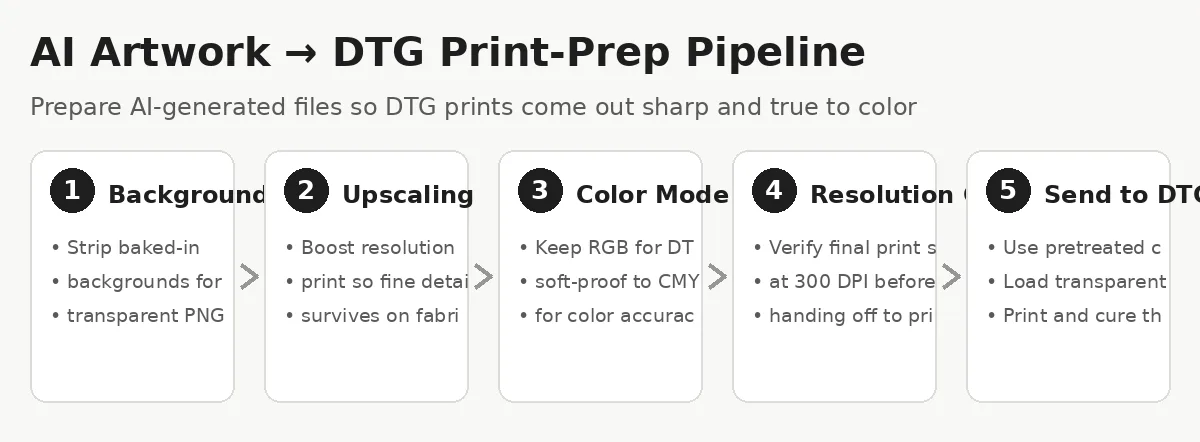
- AI generators output RGB files at screen resolution (often ~1024 px) — they need upscaling to 300 DPI at final print size before printing.
- Remove baked-in backgrounds to transparent PNG before submitting, or you will get an unwanted box around the design.
- Pre-treatment and a smooth, combed ring-spun cotton blank decide print sharpness as much as the machine does.
- DTG reproduces photographic detail with a soft hand-feel; DTF, screen printing, and sublimation trade detail for other advantages.
How DTG Works and Why It Suits AI Art
Unlike screen printing, which needs a separate stencil for every color, DTG sprays specialized water-based pigment inks directly onto the garment — similar to a photo printer, but built for textiles. Because there is no per-color setup, it handles an unlimited number of colors and the complex gradients AI models love to generate. Flagship machines such as the Brother GTXpro advertise printhead resolutions of 1200 × 1200 dpi (per the manufacturer's published specifications), which is enough to resolve the fine grain, soft lighting, and painterly textures typical of Midjourney, DALL-E 3, and Stable Diffusion outputs.
The key advantage for AI art is gradation fidelity. Traditional screen printing breaks images into halftone dots and struggles with smooth tonal transitions; DTG lays down continuous-tone ink, so a sunset gradient or a photorealistic portrait keeps its smoothness. That makes DTG the natural method for the detailed artwork discussed in our guide to AI art on premium cotton tees.
The Unique Challenges of AI-Generated Files
AI art presents hurdles that conventional t-shirt design files do not. First is resolution: most generators output at roughly 72–96 DPI equivalent, often around 1024 px square. That looks stunning on a 4K monitor but pixelates badly when stretched across a 12-inch chest print. Second is the baked-in background. AI generators rarely produce transparency — the file includes a full background, so printing it as-is produces a visible box around the design unless the background is removed first.
Third is subtlety: AI art is full of faint gradients that can print with visible "banding" — stair-stepped color transitions — if the machine is not well calibrated. A light film of grain added during file prep can help the printer blend those tones more naturally. And fourth is color space: AI models generate in RGB (light-based), while printers work in CMYK (pigment-based), so the most saturated neon blues, electric cyans, and glowing oranges in your file will shift when printed.
File Preparation: DPI, Format, and Transparency
The single most important prep rule: submit 300 DPI at the actual print size. For a 10-inch-wide chest print, that means a file at least 3000 px across. Anything under ~150 DPI at print size risks visible pixelation on fabric — a 4K monitor hides what cotton reveals.
- Format: transparent PNG is the safe standard for DTG uploads. Avoid JPG — it cannot hold transparency and its lossy compression leaves blurry artifacts around edges.
- Transparency: remove the baked-in background (Photoshop, GIMP, or background-removal tools) and crop tightly to the design's edges so no stray transparent margin wastes print area.
- Flatten and outline: merge layers and convert any added text to outlines so fonts cannot shift or substitute at the print shop.
- Color mode: keep the master file in RGB (it preserves the widest data), but expect the printer's RIP software to convert to its ink set — review proofs when color accuracy matters.
If you are starting a whole apparel project from scratch rather than a single design, our guide to AI-generated t-shirt designs covers the design workflow that feeds into this print prep.
Upscaling AI Images for Print
A 1024 px square Midjourney output only covers about 3.4 inches at 300 DPI. To print bigger, upscale. Modern AI upscalers (Topaz Gigapixel, Magnific, Photoshop's Super Resolution) genuinely reconstruct detail rather than just stretching pixels, and are the right tool for taking AI art to chest-print or back-print sizes. Work in this order: upscale first at the generator's maximum quality, then remove the background, then place text or overlays, then export the final PNG.
Avoid stacking multiple upscales or mixing upscalers — each pass bakes in its own artifacts. And always zoom to 100% on critical areas (faces, text, fine linework) before submitting; AI upscalers occasionally invent garbled detail on small text that looks fine at thumbnail size.
RGB vs. CMYK: The Color Gamut Problem
Printers physically cannot reproduce some RGB colors. The neon-electric blues and glowing oranges AI models generate so effortlessly sit outside the CMYK gamut and will print duller than on screen. Shops mitigate this with extended ink sets — some machines add red, green, or orange channels to reach further into those tricky secondary shades — and with RIP software that maps out-of-gamut colors to the closest printable equivalent.
Practical advice: design with the gamut in mind rather than fighting it. If a glowing cyan gradient is the centerpiece of your art, expect it to shift toward a slightly deeper blue on cotton, and choose a dark garment where the shift is less noticeable. If exact color matters (brand logos inside AI art, for example), ask the shop for a printed sample before committing to a run.
Pretreatment: The Step You Cannot Skip
Pretreatment is a primer solution sprayed onto the garment before printing — on dark shirts it is mandatory, because it gives the white underbase ink something to grip. It freezes ink droplets on contact so fine detail stays sharp instead of bleeding into the weave, and it is the main reason one shop's DTG looks crisp while another's looks washed out.
What to know as a designer or buyer: pretreatment must be applied evenly and fully dried before printing, or you get patchy color. Some shops apply visible pretreatment marks that wash out after the first laundering — ask about it if your garments will be photographed fresh off the press. When comparing fulfillment partners, pretreatment discipline is a better quality signal than any marketing claim; it is also a fair question to raise when evaluating services in our Printify vs Printful comparison.
Fabric Selection for Detailed Prints
The smoothest printer in the world cannot fix a rough blank. For detailed AI artwork, the professional standard is combed, ring-spun cotton: ring-spinning twists yarn thinner and stronger, and combing strips out short fibers, producing a tight, flat weave. Think of it as the difference between painting on rough plywood and a primed canvas. Loose, carded open-end cotton lets ink sink between threads, which dulls colors and softens edges.
Popular DTG blanks include Bella+Canvas and AS Colour styles, favored for their high stitch density and smooth hand. For dark garments — where most AI art looks best — the white underbase does heavy lifting, and pretreatment quality matters even more. Our companion piece on AI art on premium cotton goes deeper on blank specs like GSM and fit.
DTG vs. Other Printing Methods
DTG is the best choice for complex AI art, but the alternatives have real strengths worth knowing:
| Method | Detail reproduction | Hand feel | Best for |
|---|---|---|---|
| DTG | Photographic; unlimited colors, smooth gradients | Soft; ink sinks into the fabric | Intricate AI art and portraits, low/no minimums |
| DTF (Direct to Film) | Very good; handles gradients well | Slightly plasticky film layer; less breathable | Polyester blends, high-vibrancy graphics on darks |
| Screen printing | Limited; struggles with gradients, one stencil per color | Can be soft with water-based inks, heavy with plastisol | Simple, high-volume designs and bold streetwear graphics |
| Sublimation | Excellent; dye becomes part of the fabric | Zero feel — no ink layer at all | All-over prints, but only on white/light polyester |
For vintage-textured graphics with fewer colors, screen printing remains the classic route — see our distressed typography guide for when analog methods win.
Sustainability and Wash Care
DTG is relatively low-waste: water-based pigment inks, no screens to wash, and print-on-demand production that avoids unsold inventory. Look for OEKO-TEX or GOTS-certified inks if eco credentials matter to your brand. To keep a DTG print vivid, wash inside out in cold water, skip the dryer when possible, and never iron directly on the print. Fading in the first few washes is normal as excess surface ink releases; premature cracking or flaking is not, and points to a curing or pretreatment problem at the shop. For a fuller picture of responsible production, read our eco-friendly printing guide.
Frequently Asked Questions
What DPI do I need for DTG printing AI artwork?
300 DPI at the final print size. A 10-inch-wide chest print needs a file at least 3000 px wide. AI generators typically output around 1024 px, so plan to upscale before submitting.
Can DTG print on black shirts?
Yes — DTG handles dark garments using a white underbase layer beneath the colors. It requires pretreatment so the white ink bonds to the fabric. AI art with luminous detail often looks best on black, where the underbase gives colors maximum pop.
Why do AI colors look duller on the printed shirt?
AI generators work in RGB, a light-based color space, while printers use CMYK pigments. Saturated neon blues, cyans, and glowing oranges fall outside the printable gamut and get mapped to the nearest printable shade. Extended ink sets (adding red, green, or orange) narrow this gap but cannot eliminate it.
DTG vs DTF for AI art — which is better?
DTG usually wins for AI art on cotton: softer hand-feel and photographic gradients with no film layer. DTF is the better pick for polyester garments or when you need maximum vibrancy on dark fabrics, at the cost of a slightly plasticky feel.
How do I stop the white box around my AI design from printing?
Remove the baked-in background and export a transparent PNG. DTG prints everything in the file, including white backgrounds — transparency is what keeps the design isolated on the garment. Crop tightly to the design edges as well.