WooCommerce print on demand lets you run a custom-products store on WordPress while a third-party provider prints and ships each order. Unlike hosted platforms, WooCommerce is open-source: you own the store, the data, and the checkout, and you are not paying a platform fee on every sale. The trade-off is that you own the maintenance too — hosting, updates, and backups are your responsibility. This guide covers how the model works on WooCommerce, which plugins connect you to fulfillment providers, the technical setup steps, and the honest differences from Shopify.
Table of Contents
Key Takeaways
- WooCommerce gives you full ownership and no per-sale platform fees, but you manage hosting and updates yourself.
- Every major POD provider offers a WooCommerce plugin or API integration — compare on catalog, quality control, and shipping footprint.
- Order samples before launch and keep a cash buffer: providers charge your card within a day while payouts can take several days to clear.
- Make sure tracking numbers sync back to WooCommerce so customers actually receive them.
How the WooCommerce POD Model Works
The setup is a trio: WordPress as the foundation, WooCommerce as the store engine, and a POD plugin as the fulfillment link. When a customer checks out on your store, the flow is:
- Order sync: The POD plugin sends the order details and design file to your provider.
- Billing: The provider charges your card for the base manufacturing cost plus shipping — usually within a day of the order.
- Production: The provider prints the product and runs a quality check.
- Fulfillment: The item ships to the customer under your brand name.
- Tracking: The tracking number syncs back to the WooCommerce order, which should trigger a customer notification.
Two things to note about this sequence. First, the money flow has a timing gap: your card gets charged quickly, but the customer's payment can take several days to reach your bank, so keep a modest cash buffer. Second, you are the merchant of record — the printing facility is your silent backend partner, and customers never interact with it.
POD Plugins and Provider Options
WooCommerce does not include print on demand itself; you connect a fulfillment partner through their plugin or API. The main options:
Printful
Offers a dedicated WooCommerce plugin with product sync, automatic order forwarding, and tracking sync. It runs its own fulfillment centers, which gives more consistent quality than marketplace models. Base prices tend to be higher, leaving tighter margins.
Printify
Connects via plugin or API to a network of independent print providers. Often cheaper per unit, but quality varies by provider, so test each one you plan to use with sample orders.
Gelato
Integrates with WooCommerce and produces locally in many countries, which can speed up international delivery. The catalog is narrower, so verify it covers your products.
Others: Gooten, CustomCat, Shirtee Cloud
Gooten suits broader non-apparel catalogs; CustomCat is known for fast US turnaround; Shirtee Cloud focuses on European fulfillment. Choose based on where your customers live and what you sell — not on which one has the glossiest landing page.
How to decide
- Catalog fit: Does it carry your exact products?
- Quality model: Own-facility providers are more consistent; marketplaces need per-provider testing.
- Shipping footprint: Match facilities to your customer geography.
- Plugin maturity: Check recent reviews on WordPress.org for the specific plugin — a great provider with a buggy plugin is a bad experience.
Technical Setup: Step by Step
- Get WordPress hosting with SSL. Your site must run on HTTPS — nobody enters card details on an insecure checkout. Managed WordPress hosting saves you server headaches.
- Install WordPress and WooCommerce. Use the setup wizard for store basics: currency, location, and shipping zones.
- Set permalinks to "Post name." This is better for SEO than the default query-string URLs.
- Install your POD provider's plugin. Connect your provider account, usually via API key or OAuth. If the plugin supports it, enable webhooks for real-time order status updates.
- Create products and set prices. Upload designs at 300 DPI with transparent backgrounds. For each product, add up base cost, shipping, and payment-processor fees, then set a retail price with a margin you can sustain.
- Configure shipping rules. POD shipping costs vary by product weight and destination. A weight-based shipping plugin helps ensure heavy items shipped far away do not eat your margin.
- Order samples. Check print quality, colors, and actual delivery times. Photograph the samples for your product pages.
- Place a test order. Confirm the order syncs to the provider, the tracking number comes back into WooCommerce, and the customer emails fire correctly. Many themes and default WooCommerce emails omit order notes, so verify the customer actually receives the tracking link — add a shipment-tracking plugin if needed.
WooCommerce vs Shopify for POD: Cost and Control
This is the decision most POD beginners wrestle with. Here is the honest comparison:
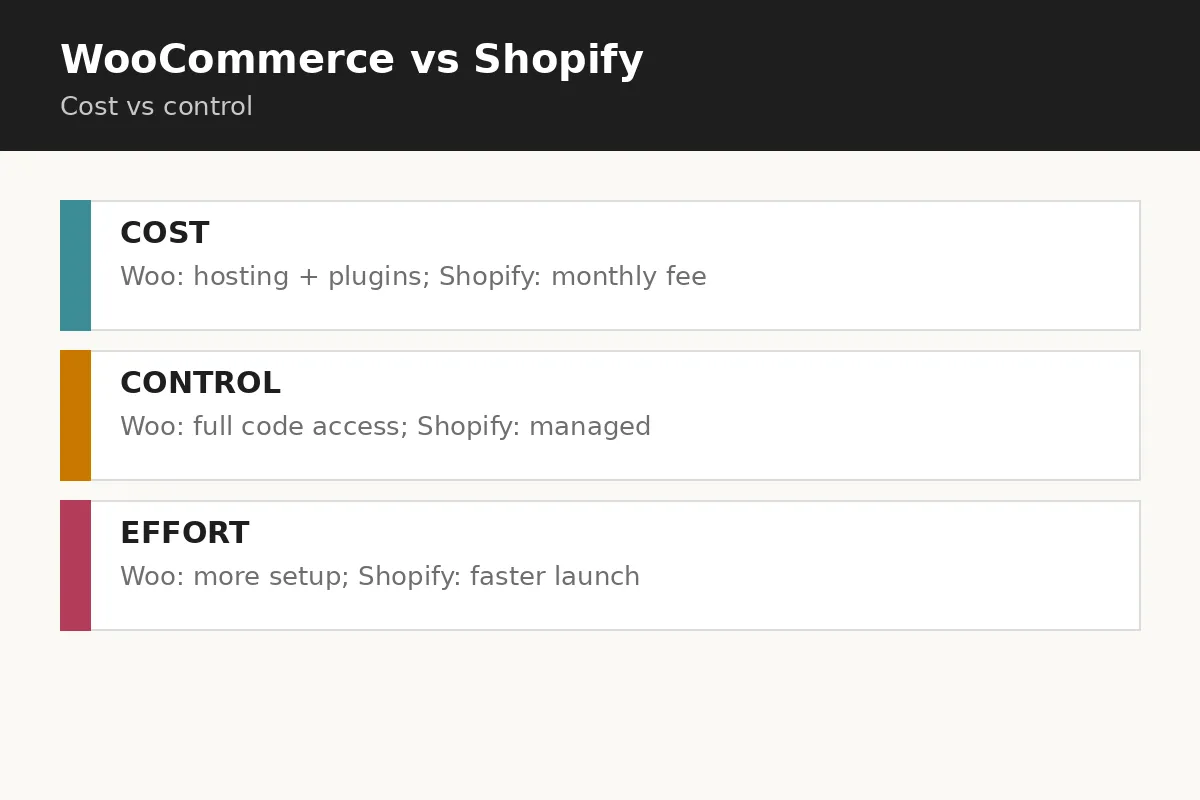
- Platform cost: Shopify charges a monthly subscription plus transaction fees on each sale. WooCommerce itself is free; you pay for hosting (a few dollars to a few dozen per month depending on traffic) and any premium plugins. At higher sales volumes, avoiding per-sale platform fees is a real saving.
- Ease of setup: Shopify is hosted and mostly point-and-click. WooCommerce requires you to install WordPress, choose hosting, and handle updates — more work upfront, more control forever.
- SEO and content: WordPress was built for content. With plugins like Rank Math or Yoast, you get granular control over schema, URLs, and site structure — useful when your POD store competes on niche keywords.
- Customization: Anything is possible in WooCommerce if you can configure (or hire for) it. Shopify is simpler but constrains you to its ecosystem.
- Maintenance: This is WooCommerce's real cost: updates, backups, and security are yours. Managed hosting and automatic backups make this manageable.
Rule of thumb: if you want the fastest path to a working store and do not mind the subscription, start with Shopify (see our Shopify print on demand setup guide). If you want full ownership, lower long-term platform costs, and content-driven SEO, WooCommerce is the stronger foundation.
Launching and Getting Traffic
The same traffic fundamentals apply as on any platform: short-form video showing products in use, Pinterest as a long-lived visual search channel, and email capture with an abandoned-cart flow from day one. One WooCommerce-specific advantage: you can publish buying guides and niche content on the same WordPress install that runs your store, building organic traffic without a separate blog platform. A useful niche benchmark before committing: can you imagine creating dozens of distinct designs for this audience without running out of ideas? If not, the niche may be too thin.
Start lean and iterate. Launch with a focused catalog of ten to twenty products rather than hundreds, and let early sales data tell you where to expand. Each product is an experiment in niche, design style, and pricing — review what sells, retire what does not, and reinvest in winners. Stores that treat the first months as structured testing tend to outlast stores that bet everything on a single big launch.
Common Pitfalls
- Ignoring the cash-flow gap. Providers charge you within a day; customer payouts take longer. Keep a buffer.
- Copyright infringement. Trademarked characters and logos get listings removed and can cost you your payment processor. Original or properly licensed designs only.
- Broken tracking sync. If tracking numbers do not reach the customer, support tickets pile up. Test this before launch.
- Plugin neglect. Outdated WooCommerce or plugin versions break integrations. Update on a staging copy first, and keep backups.
- Hiding production times. State realistic production-plus-shipping times on product pages to avoid "where is my order" emails.
Frequently Asked Questions
Is WooCommerce print on demand profitable?
It can be, but per-unit costs are higher than bulk inventory, so margins are modest per item. Success comes from volume, higher-ticket products, and a niche with real demand — there are no guaranteed outcomes.
Which is better for POD: Printful or Printify on WooCommerce?
Printful suits those who value consistent quality and an easier setup; Printify suits those chasing lower base costs who are willing to vet individual print providers. Order samples from whichever you choose.
Do I need to be a designer?
No. Many store owners hire designers or use design tools. What matters is the niche vision — knowing which designs will resonate with a specific audience.
How do I handle VAT and sales tax on international orders?
POD plugins handle order data, but tax compliance is yours. Use a tax automation tool or consult an accountant, especially when selling into the EU or UK where VAT rules apply.
Can I use copyrighted images on my products?
No. Using trademarked characters, logos, or protected artwork can get your listings removed and your payment account shut down. Stick to original artwork or properly licensed assets.
For the broader business picture beyond WooCommerce, see our print on demand business guide.