Shopify print on demand is a business model where you sell custom products through your own Shopify store while a third-party supplier prints and ships each item after a customer buys it. There is no inventory to buy upfront, which removes the biggest financial risk of starting a store. What it does not remove is the work: design, niche selection, product pages, and marketing still decide whether a store survives. This guide walks through how the model works, how to compare POD apps on features rather than marketing claims, and how to set up a store properly.
Table of Contents
Key Takeaways
- Print on demand removes inventory risk, but not competition: design quality and niche focus do the heavy lifting.
- Compare POD apps on catalog, print quality control, shipping footprint, and pricing model — not on star ratings from the apps' own marketing.
- Always order samples before launch; mockups and real products can look very different.
- Transparent shipping times and clear product pages prevent the chargebacks and bad reviews that kill new stores.
How the Shopify POD Model Works
The model is a three-way relationship between you, Shopify, and your printing partner. When a customer buys a product from your store, the flow looks like this:
- The order: Shopify captures the payment and the customer's details.
- The sync: Your POD app receives the order and your design file automatically.
- Production: The supplier prints the design on a blank product.
- Fulfillment: The supplier ships the item directly to the customer, usually under your brand name (white-labeling).
You never touch inventory, pack boxes, or queue at a post office. Your costs per order are the product base cost plus shipping, which the POD provider charges you; your revenue is the retail price the customer pays. The difference, minus Shopify's fees, is your margin. Because you only pay for products after a sale happens, the model has very low startup risk — but per-unit costs are higher than buying in bulk, so margins are tighter than traditional retail.
Choosing a POD App: A Feature-Based Comparison
The Shopify App Store lists dozens of POD apps, and most comparison articles ranking them are written by the apps themselves — treat those as advertising, not reviews. Instead, compare on the features that actually affect your store:
Printful
Runs its own fulfillment centers rather than routing orders to third-party printers, which means more consistent quality control. It offers a wide catalog (apparel, accessories, home goods, wall art) and branded packaging options. The trade-off is higher base prices, which leaves less room in your margins.
Printify
Operates as a marketplace of independent print providers, so you choose which printer fulfills each product. Base prices are often lower, but quality and shipping speed can vary between providers — which is why ordering samples from each provider you plan to use matters.
Gelato
Focuses on local production across many countries through its own network, which can shorten delivery times for international customers. The catalog is narrower than Printful or Printify, so check that it carries the products you need.
Gooten and SPOD
Gooten emphasizes automation and a broad non-apparel catalog (home goods, wall art); SPOD (Spreadconnect) offers competitive pricing on apparel through a marketplace model. Both are worth a look if your product mix leans away from basic t-shirts.
How to decide
- Catalog: Does it carry the exact products your niche wants?
- Quality control: Own-facility models are more consistent; marketplaces need sample testing per provider.
- Shipping footprint: Where do your customers live, and which facilities serve them?
- Pricing model: Compare base costs for your specific products, not headline claims.
- Branding: Can you add your logo to packaging and packing slips?
Store Setup: Step by Step
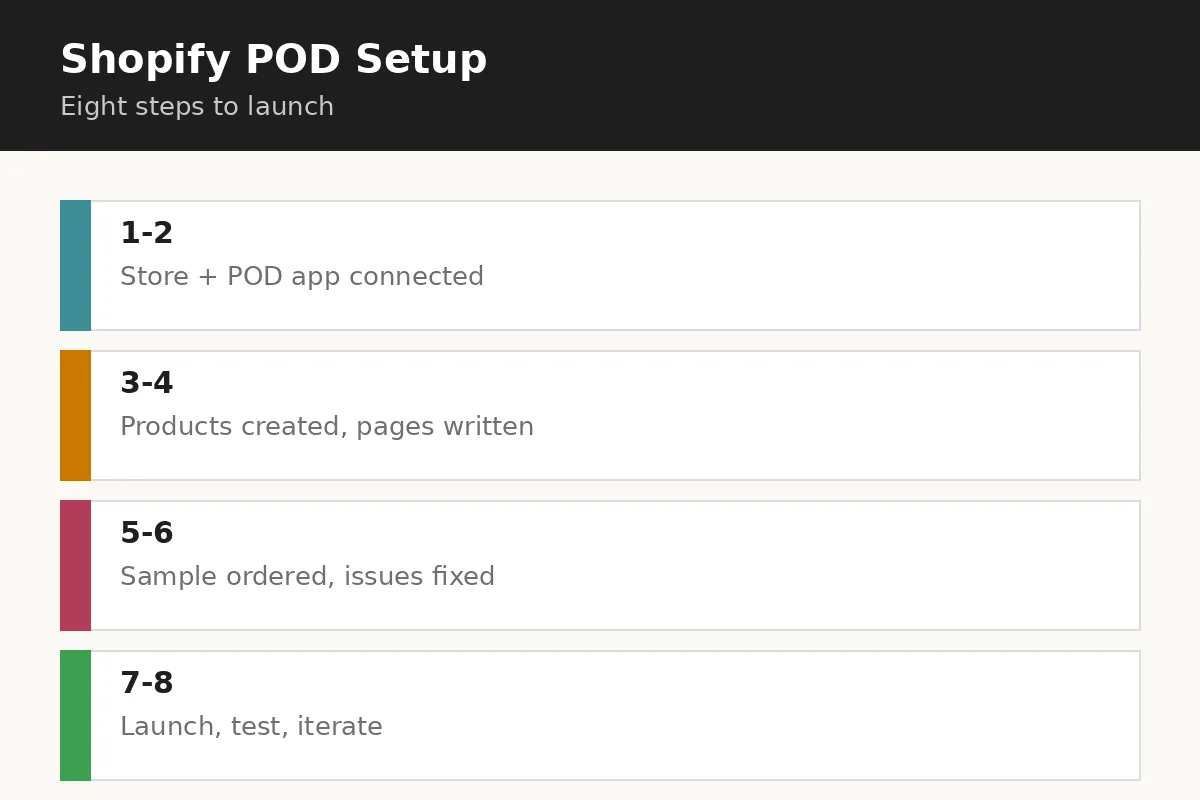
- Create your Shopify account and pick a plan. Start with the entry-level plan; you can upgrade later. Check Shopify's current pricing page for the exact figure.
- Register a domain. A custom domain looks more trustworthy than a myshopify.com subdomain and costs roughly the price of a lunch per year.
- Choose a clean theme. Free Shopify themes are perfectly fine to start. Pick one that makes product photos the hero.
- Write your legal pages early. Privacy policy, refund policy, terms of service, and — critically — a shipping policy that states realistic production and delivery times. POD is not next-day delivery, and saying so upfront prevents disputes.
- Install your POD app and connect it. Authorize the connection in the Shopify App Store, then decide your catalog structure before generating products: each printable variant combination needs to map cleanly to Shopify products and variants, or you will end up with orphaned variants later.
- Create products and set prices. For each product, add up base cost, estimated shipping, and Shopify's transaction fees, then set a retail price that leaves you a margin you can live with. Work the math per product — do not guess.
- Order samples. This is the single most important step. Check print quality, colors, fabric feel, and actual delivery time. Photograph the samples for your product pages.
- Place a test order. Run a real checkout on your own store to confirm the order syncs to the POD app, webhooks fire correctly, and the customer emails look right.
Product Pages That Convert
Most POD store guides stop at setup and never talk about the product page, which is where the sale actually happens. These elements matter:
- Lifestyle mockups, not just flat renders. Show the product worn or used in a real setting. Photos of your physical samples beat generated mockups.
- Accurate size charts. Include garment measurements, not just S/M/L labels, and note whether the fit runs small or large based on your sample.
- Shipping transparency. State production time plus shipping time clearly on the page. Surprises here become chargebacks.
- Specific descriptions. Fabric type, print method, and care instructions answer the questions that stop hesitant buyers.
- Reviews. Seed them honestly from early customers; never fabricate them.
Launching and Getting Traffic
A store with no traffic makes no sales. Common channels for POD stores include short-form video (showing the product in use, not just the mockup), Pinterest (which functions as a visual search engine where pins keep driving traffic long after posting), and email capture from day one with an abandoned-cart flow. Expect the early months to be an experiment: most POD stores need many months of testing different designs, products, and audiences before finding a combination that works. Plan your budget around testing, not around instant results.
Treat your first few months as paid learning. Launch with a small catalog — ten to twenty products is plenty — and resist the urge to add hundreds of designs before any of them sell. Each design you publish should teach you something: which niches click, which price points convert, which mockup styles get saved. Kill what does not work quickly and double down on what does. The stores that survive are rarely the ones with the biggest launch; they are the ones that iterate the fastest on real data.
Common Pitfalls
- Copyright infringement. Trademarked characters, band logos, and celebrity likenesses will get listings removed and can get payment accounts shut down. Use original designs or properly licensed assets.
- Hiding shipping times. If production takes days, say so. Transparency converts better than disappointment.
- Splitting orders across suppliers. If a customer buys two items fulfilled by different providers, they arrive in separate packages at different times. Either route the whole catalog through one provider or warn customers at checkout.
- Skipping samples. Selling a product you have never held is how quality complaints start.
- The generic store. "Custom t-shirts for everyone" competes with everyone. A focused niche — a specific hobby, fandom, or profession — converts better and makes ad targeting affordable.
Frequently Asked Questions
Is Shopify print on demand profitable?
It can be, but margins are tighter than bulk inventory because per-unit costs are higher. Profitability depends on niche selection, pricing math, and finding a design-audience combination that converts — there is no guaranteed outcome.
Can I use multiple POD suppliers on one Shopify store?
Yes. Many merchants use one supplier for apparel and another for home goods. Just be aware that items from different suppliers ship in separate packages, so set customer expectations accordingly.
How much does it cost to start?
The minimum is a Shopify subscription plus a domain. A realistic starting budget also covers sample orders, which are essential for quality control, and a small amount for initial traffic testing.
Do I need design skills?
Not necessarily — many store owners hire designers or use design tools. What you do need is a clear vision for the niche: which designs will resonate and why. Upload designs at 300 DPI with transparent backgrounds for clean prints.
How does Shopify POD compare to WooCommerce POD?
Shopify is hosted and easier to set up, with a monthly subscription and transaction fees. WooCommerce is open-source and gives you full control and lower long-term platform costs, but you manage hosting and maintenance yourself. Read our WooCommerce print on demand setup guide for the full comparison.
For the broader business picture beyond Shopify, see our print on demand business guide.